

You Are Not at the Mercy of Your BLO: A Free, Step-by-Step Guide for Every Eligible Voter Who Has Shifted Residence — Online or Offline, Before It Is Too Late
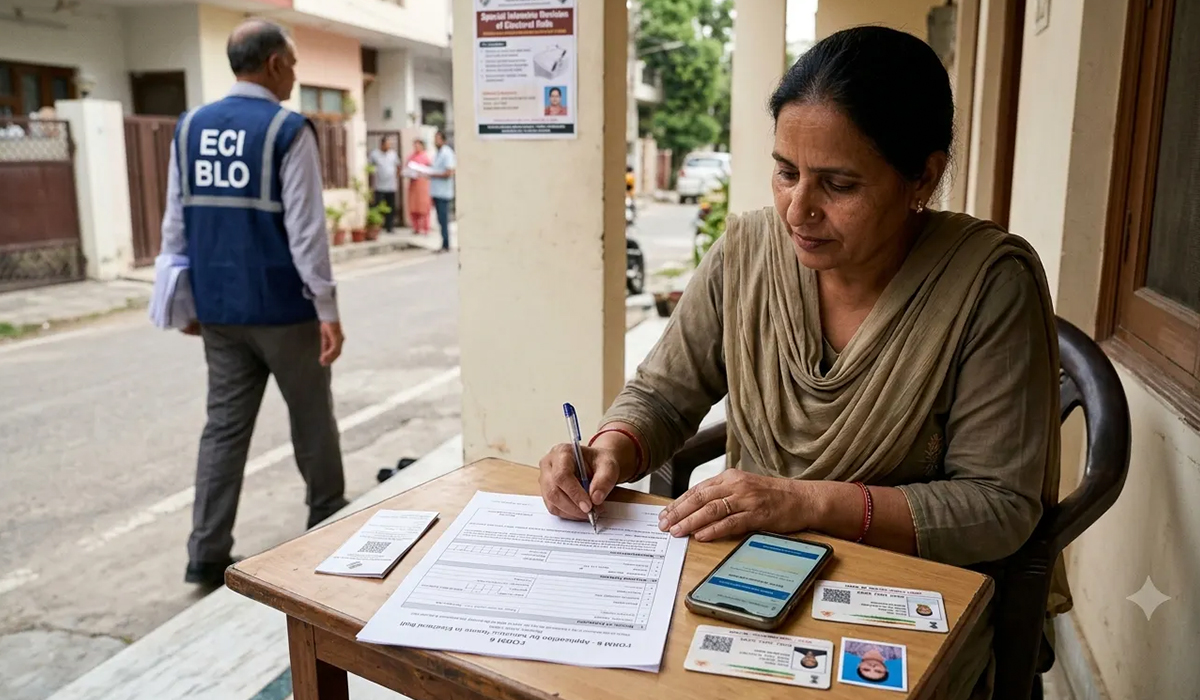
You are an Indian citizen. You are above eighteen years of age. You have been living at your current address — in Punjab, in Chandigarh, or anywhere else in India where the Special Intensive Revision is currently underway — long enough to call it home. You are, in law, ordinarily resident there. You are fully entitled to be registered as a voter at that address. And yet, when the Booth Level Officer (BLO) knocks on your door during the SIR enumeration, he has no pre-filled form for you. He does not hand you the enumeration document he hands to your neighbours. He walks past.
This happens for one reason: the BLO’s pre-filled enumeration form is generated only for voters already registered on the current electoral roll at your address. If you have shifted recently, if your registration is still at your previous address in another state or district, if your name was deleted in a previous revision, or if you have never registered anywhere — the BLO has nothing for you. The system, at that moment, has not forgotten you. It simply does not yet know you are there.
This article tells you exactly what to do. The process is free. It is available online, from your phone, right now. It takes approximately fifteen minutes if you have your documents ready. And if you act before the draft roll is published — 31 July 2026 in Punjab, 21 July 2026 in Chandigarh — your name will appear in the final electoral roll that governs the 2027 Punjab Assembly election.
Who Exactly Is This Article For?
You need to read and act on this if any of the following describes you:
- You have moved from another state, district, or constituency and are now permanently settled at your current address, but your voter registration is still at your old address.
- You were registered here previously but your name was deleted in an earlier revision — perhaps because a neighbour told the field officer you had moved, or because you were away when the BLO visited, and you have never been restored.
- You are a young voter who turned eighteen after the last electoral roll was finalised and have not yet registered anywhere.
- You are a woman who has married and moved to a new household and your registration is still at your parental address.
- You have been living at this address for years but simply never got around to registering, or assumed your old registration was still valid.
- You are a migrant worker, a professional, a student, or a government employee who has settled in Punjab or Chandigarh and considers this your ordinary place of residence.
In every one of these cases, the law is on your side. Section 19 of the Representation of the People Act, 1950 requires only two things: that you are an Indian citizen above eighteen years of age, and that you are ordinarily resident in the constituency where you seek registration. No other condition applies. The BLO not having a form for you is an administrative gap, not a legal obstacle. The remedy is Form 6.
One Critical Warning Before You Begin
If you are already registered as a voter anywhere else in India — even if you have not voted there in years, even if you no longer live there — you must declare that registration in Form 6 and request its cancellation. Registering in two places simultaneously is an offence under Section 17 of the Representation of the People Act, 1950, punishable with imprisonment of up to one year. The cancellation of the old entry happens automatically when your Form 6 is processed — you do not need to travel back or contact anyone at the old address. But you must declare it. Do not skip this column.
What You Need Before You Start
Keep the following ready before opening the portal:
- Your Aadhaar card — both for identity and as address proof if your Aadhaar shows your current address. If not, any one of: bank passbook, utility bill, rental agreement, or employer’s certificate showing current address.
- The mobile number linked to your Aadhaar — you will receive an OTP on this number.
- Your old voter ID card (EPIC) if you have one — the EPIC number is needed to trace and cancel the old registration.
- Your date of birth as recorded in your Aadhaar or school certificate.
- A recent passport-size photograph saved as an image file on your phone.
- Details of your current address: exact house number, street or sector, mohalla or village, district, pin code.
The Step-by-Step Process — Online (Recommended)
STEP 1: Open the Portal
Go to voters.eci.gov.in on your phone or computer. There is no charge to use this portal — it is a free government service. Alternatively, download the Voter Helpline App from the Google Play Store or Apple App Store. Both are identical in function.
Tap “Login / Register”. If you are using the portal for the first time, register with your mobile number. An OTP will arrive — enter it. You are now logged in.
STEP 2: Search for Your Current Registration
Before filing anything, check where you stand. Tap “Search in Voter List”. Enter your name, date of birth, and the state where you believe you may be registered (your previous home state or district). This will show you whether your name currently exists in any electoral roll, and if so, your Part Number and Serial Number at that roll. Note these down — you will need them in Step 4.
If your name does not appear anywhere, you can proceed directly. If it appears at a previous address, note the details and proceed.
STEP 3: Select Form 6
On the portal home screen, tap “Forms” and select “Form 6 — Application for Inclusion of Name in Electoral Roll”. This is the standard form for all new registrations — whether you are enrolling for the first time or re-enrolling at a new address after shifting. It is free of charge.
STEP 4: Fill the Form — Section by Section
The form has five main sections. Do not rush. Every field matters.
Personal Details: Enter your full name exactly as it appears on your Aadhaar card. Enter your date of birth, gender, and your father’s or mother’s name (or husband’s name if married). These must match your identity document.
Current Address: Enter the address where you are now living and where you want to be registered. Include the exact house number, street or sector, locality, district, state, and pin code. In the field that asks how long you have been residing here, enter the month and year you moved to this address. This establishes your ordinary residence — the legal basis for your registration.
Previous Registration: Do Not Skip This Column. This is the most important section for anyone shifting from another address. If you were previously registered anywhere, tick “Yes”. Enter the state, district, Assembly constituency, Part Number, and Serial Number of your old registration (from what you noted in Step 2). This column is what triggers the automatic cancellation of your old registration once your Form 6 is processed. Your old EPIC card will be rendered invalid; a new one will be issued for your new address. If you skip this column while knowing you have an old registration, you risk both registrations remaining active, which is an offence under the law.
Declaration: Tick that you are an Indian citizen, that you have attained eighteen years of age on or before the qualifying date (1 October 2026 for the current SIR), and that you are ordinarily resident at the address you have entered. If you have declared a previous registration for cancellation above, tick that confirmation as well.
Documents: Upload a scan or clear photograph of your Aadhaar card (front and back) as identity proof. Upload a document proving your current address — Aadhaar if the address matches, otherwise a utility bill, bank passbook, or rent agreement. Upload your recent passport-size photograph in the designated box. File sizes are small — phone photographs of documents work perfectly.
STEP 5: Submit and Immediately Save Your Acknowledgement Number
Tap “Submit”. The portal will display an Acknowledgement Number. Screenshot this immediately and save it somewhere you can find it. This is your proof that the application was filed. If anyone asks, this number confirms your pending enrolment.
You may receive an SMS confirming receipt of your application. The Electoral Registration Officer for your area will now process it. There may be a field verification visit — if a notice comes, be present and produce original documents.
STEP 6: Track Your Application
On voters.eci.gov.in, tap “Track Application Status” and enter your Acknowledgement Number. The status will move from Submitted → Under Verification → Approved. Check this once a week.
STEP 7: Confirm Your Name in the Final Roll
After 1 October 2026, return to voters.eci.gov.in and tap “Search in Voter List”. Enter your name and your new address. Confirm that your name now appears in the electoral roll for Punjab or Chandigarh. If it does, you are a registered voter for the 2027 election, or otherwise for Chandigarh.
From the same portal you can download your e-EPIC — a digital voter ID card — immediately. The physical card will be issued in due course.
What If You Miss the BLO Visit and Prefer Offline?
You have two offline options, both free of charge. First, when the BLO visits your locality, go to him directly — you do not need to wait for him to come to your door. Ask him for a blank Form 6. He is required to carry them. Fill it by hand, attach photocopies of your Aadhaar and one address document, sign it, and hand it back. The BLO will give you a receipt. Keep it.
Second, walk into the nearest Voter Service Centre — set up at every District Collectorate and most Tehsil offices during the SIR period — and submit Form 6 in person. Staff there will assist you with filling if needed.
Note that Form 6 can also be filed during the Claims and Objections period — 31 July to 30 August 2026 in Punjab, 21 July to 20 August 2026 in Chandigarh. Filing online now is preferable because it gives the ERO more time for processing before the final roll is published.
Your Timeline at a Glance
- File Form 6 online: Now — the portal is open 24/7 at voters.eci.gov.in
- BLO visits end — Punjab: 24 July 2026
- BLO visits end — Chandigarh: 14 July 2026
- Draft roll published — Punjab: 31 July 2026
- Draft roll published — Chandigarh: 21 July 2026
- Form 6 also accepted during Claims period — Punjab: 31 July – 30 August 2026
- Form 6 also accepted during Claims period — Chandigarh: 21 July – 20 August 2026
- ERO processes, verifies, decides — Punjab: By 28 September 2026
- Final roll published — Punjab: 1 October 2026
- Final roll published — Chandigarh: 22 September 2026
- e-EPIC downloadable: From October 2026 onwards
Three Things to Remember
- This is free. There is no fee, no agent needed, no middleman. Anyone who charges you money to file Form 6 is cheating you. The portal is free, the form is free, the Voter Service Centre is free, the BLO’s assistance is free.
- Declare your old registration. Do not assume it has been cancelled automatically. It has not. You must declare it in Form 6 for the cancellation to happen. One voter, one roll. That is the law.
- Your EPIC card from the old address is not proof that you are registered at your new address. A new registration at the new address, confirmed on voters.eci.gov.in, is the only proof that matters on election day.
If you face any difficulty with the portal, call the Voter Helpline at 1950. It is free, available in Hindi, Punjabi, and English, and staffed during working hours. You can also approach your BLO, your Electoral Registration Officer’s office, or the nearest Voter Service Centre.
The BLO had no form for you. You are not at the mercy of the BLO. You never were. Your vote is in your own hands — quite literally, on the phone screen in your pocket. Form 6 exists precisely for this situation. The portal is free, the process is straightforward, and the window is short. Who’s afraid of the SIR? Not you. Act today.

Leave a Comment